

Windows Admin Course in Nagpur: Kick-start Your Career as a Windows Administrator!
Modern businesses today rely on seamless IT infrastructure for their smooth functioning. Corporates use Windows Servers on a daily basis to manage users, applications, networks, databases, and their critical data. Windows Administrators ensure that all these aspects are working in tandem without a hitch
If you are thinking of making a career in System Administration, IT Infrastructure, Cloud Computing, and Network Administration, with a Windows Admin Course in Nagpur, you can gain mastery over the skills required by the employers.
In a Windows Admin Course in Nagpur, you get an opportunity to learn about technologies like Active Directory, DNS, DHCP, Group Policy, PowerShell, Hyper-V, Windows Security, Backup & Recovery, and Server Troubleshooting through hands-on practice.
It is indeed the perfect course for students, freshers, graduates, and working professionals who are looking to make a career in the corporate world. I have covered all the necessary details regarding Windows Admin training, right from Windows Administration to Jobs & Career scope.
What is Windows Administration?
Windows Administration refers to the underlying processes involved in the installation, configuration, setup, securing, and maintenance of Windows Server in a corporate environment. A Windows Administrator, therefore, is someone who is responsible for ensuring servers, users, and the overall business resources are appropriately managed, maintained, and secured.
Some of the common tasks performed by Windows Admins include:
• Windows servers
• Active Directory
• DNS & DHCP
• Group Policy
• User & permission management
• File & storage services
• Virtual machines
• Windows security
• Backup & recovery
• Server monitoring and troubleshooting
Windows Administration: Best Career Option in 2026
Technology keeps evolving, but the relevance of Windows Server is far from disappearing in the near future. In fact, for many years to come, Windows Server will be at the core of many business IT infrastructures. Moreover, the utilization of Windows Server is on the rise, and more organizations are adopting hybrid environments that include both on-premise and cloud servers (Microsoft Azure). With Windows Server at the heart of these frameworks, the demand for Windows Administrators is set to skyrocket.
The demand for Windows Administrators is on the rise and will continue to grow in the future. There are several reasons why Windows Administration is the best career option to consider in 2026:
1. High demand in the corporate world: Windows Administration expertise is in demand in all organization types, including Startups, enterprises, and MNCs.
2. Growing importance of Windows Server worldwide
3. Microsoft’s Cloud (Microsoft Azure)
4. Excellent growth prospects in cloud computing and virtualization
5. Hands-on skills in system frameworks relevant to most IT organizations
6. Microsoft Certifications
7. Windows Administration offers a long-term career

Windows Admin Roadmap for Beginners (2026)
Learning Windows Administration can be overwhelming, especially for someone who is new to the field. However, with the Windows Admin Roadmap outlined below, you can easily master the skills required to become a Windows Administrator:
- 1. Introduction to Windows OS: Learn the Windows architecture, storage, user accounts, and file management
- 2. Introduction to Networking: Learn the basic networking concepts: TCP/IP, DNS, DHCP, Routers, and Switches
- 3. Installing Windows Server: Install the latest Windows server and configure roles
- 4. Introduction to Active Directory: Learn the fundamentals of Active Directory, including domains, OUs, accounts, groups, and authentication
- 5. DNS Server Configuration: Configure the various types of DNS servers required for a Windows-based network
- 6. DHCP Server Configuration: Configure DHCP server to provide IP addresses to your network automatically
- 7. Group Policy: Configure the Group Policy and GPO to manage users and computers
- 8. User & Group Management: Learn how to manage the user accounts and groups in-depth
- 9. Configure NFTS: Configure NFTS and shared permissions to manage files and folders on the Windows server
- 10. Windows Security Policy: Configure the windows firewall and Microsoft defender
- 12. Hyper-V and Virtualization: Learn how to configure Hyper-V to deploy and manage multiple virtual servers
- 12. Hyper-V and Virtualization: Learn how to configure Hyper-V to deploy and manage multiple virtual servers
Windows Administrator Skills
A certified Windows Server Engineer is expected to have an in-depth knowledge of the following skills:
• Windows AD (Active Directory)
• DNS & DHCP
• Networking basics
• Group Policy
• Users and Group Management
• NTFS and Shared permissions
• Backups and Disaster Recovery
• Hyper-V Virtualization
• Windows Security basics
• Troubleshooting of Server Hardware and Software
You can gain mastery over these skills at the Windows Admin Training Centre in Nagpur.
Hands-on Practical Windows Server Projects
This is one of the best things about the Windows Admin Course in Nagpur; you get an opportunity to develop a wide range of practical skills by working on real-world projects:
1. Active Directory Setup
Setup an active directory domain and manage users, OUs, etc.
2. Windows Domain Setup
Setup Windows domain controller to manage the domain
3. DNS and DHCP servers
Learn how to configure the essential network services
4. GPO Setup
Setup Group Policy to configure desktop security, passwords, and other restrictions
5. File & Print Server
Configure file and print servers to share files and folders on the network
6. Hyper-V virtualization
Learn how to configure Hyper-V to deploy multiple virtual servers
7. PowerShell scripting
Learn how to develop power shell scripts to automate administrative tasks
8. File backup and restore
Backup files and test the disaster recovery plan
9. Harden windows security
Configure windows firewall, defender, and bitlocker
10. Server Troubleshooting
Monitor the server performance using the various tools
Tools Used by Windows Administrators
Windows Administrators rely on specialized tools to configure servers, manage users, control network services, troubleshoot issues, strengthen security, and maintain reliable IT infrastructure.
Active Directory Users and Computers (ADUC) – Enables administrators to create and manage users, computers, groups, and organizational units, helping control access across a Windows domain.
Group Policy Management Console (GPMC) – Enables administrators to create, configure, and apply centralized policies for users and computers, improving security and maintaining consistent system settings.
DNS Manager – Enables administrators to configure DNS zones, manage DNS records, and maintain name resolution, allowing users and systems to reliably locate network resources.
DHCP Manager – Enables administrators to configure IP address scopes, reservations, and network settings, allowing devices to automatically receive the correct network configuration.
PowerShell – Enables administrators to automate server management, execute administrative commands, manage system resources, and perform repetitive tasks efficiently.
Hyper-V Manager – Enables administrators to create, configure, and manage virtual machines, supporting server virtualization and efficient use of infrastructure resources.
Windows Admin Center – Enables administrators to manage Windows servers, virtual machines, clusters, and infrastructure resources through a centralized web-based interface.
Event Viewer – Enables administrators to review system, application, and security logs, helping identify errors, investigate issues, and troubleshoot server problems.
Performance Monitor – Enables administrators to track CPU, memory, disk, and network performance, helping identify resource bottlenecks and maintain stable server operations.
Remote Desktop Services (RDP) – Enables administrators to remotely access and manage Windows servers, allowing maintenance, configuration, and troubleshooting without physical access.
Windows Defender Firewall – Enables administrators to configure inbound and outbound traffic rules, helping protect Windows servers and systems from unauthorized network access.
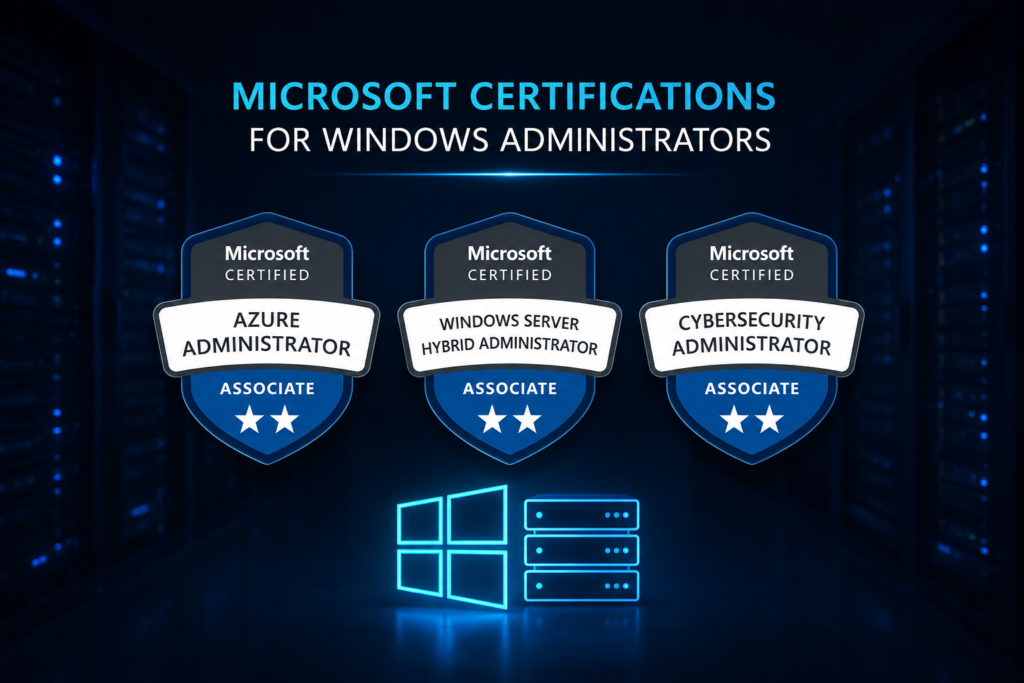
Microsoft Certifications for Windows Administrators
For Windows Administrators, certifications from Microsoft can prove their proficiency and ability to handle server administration, cloud infrastructure, security, identity and enterprise device administration. These are good Microsoft certifications to prepare:
* Azure Administrator Associate (AZ-104)-Allow technical professionals to manage Azure resources, virtual machines, storage, network, identity and cloud infrastructure-skills that relate very closely to modern day Windows and cloud admin role.
* Azure Fundamentals (AZ-900)-Provide fundamental knowledge on cloud computing concepts, services, security, pricing and management-helpful to beginners aspiring to be an Azure administrator.
* Azure Security Engineer Associate (AZ-500)-Allow technical professionals to secure cloud infrastructure and applications, manage security controls, identity, and respond to security threats.
* Windows Server Hybrid Administrator Associate (AZ-800 & AZ-801)-Develop skills to install and deploy server infrastructures, use Windows Server, Active directory and hybrid environments, networking, virtualization and security, disaster recovery-very suitable to Windows Server jobs.
* Microsoft 365 Endpoint Administrator Associate (MD-102)-Give technical professionals skills and abilities to manage endpoints and deployment, configuration, security, management-relevant to enterprise device administration.
Career Roadmap After Windows Admin
Completing the Windows Administration Course is just the beginning of your career in the corporate world. With additional certifications and experience, you can advance your career to the next level. Here is a possible career progression:
Stage 1: Windows Administrator (0–2 Years)
As a Windows Administrator, you will be handling Windows Servers, Active Directory, DNS, DHCP, Group Policy, and Users.
Stage 2: System Administrator (2–4 Years)
At this level, you can start managing the overall IT infrastructure, including servers, virtualization, security, and networking.
Stage 3: Infrastructure Engineer (3–6 Years)
At this level, you can configure and manage enterprise-level infrastructure, including storage, virtualization, disaster recovery, and high availability.
Stage 4: Cloud Administrator / Azure Administrator (4–7 Years)
At this level, you can start working with Microsoft Azure and configure hybrid cloud environments.
Stage 5: Senior Infrastructure Engineer / Cloud Engineer (6–10 Years)
At this level, you can manage large-scale infrastructures, including automation, system optimization, and cloud technologies.
Stage 6: DevOps Engineer / Cloud Solutions Architect / IT Manager
At the top level, you can specialize in DevOps, cloud solutions architecture, and IT management.
Why Choose a Windows Admin Course in Nagpur?
If you are searching for IT Courses in Nagpur, you should consider Windows Administration because it offers a hands-on approach to help you acquire the relevant skills needed in the corporate world.
For instance, Windows Admin Course in Nagpur is ideal for anyone who prefers to learn by doing. It features practical labs, real-time projects, and instructor-led training.
When searching for the Best IT Training Institute in Nagpur, you should consider some of the following factors:
• Qualified and certified trainers
• Updated course content
• Well-equipped labs
• Interview preparation
• Certification support
• Placement assistance
FAQS
1. What is a Windows Admin Course?
A Windows Admin Course is an IT training program that prepares you for a career in Windows Server Administration. Some of the concepts covered in this course include Active Directory, DNS, DHCP, Group Policy, PowerShell, Hyper-V, Windows Security, and Backup & Recovery.
2. Who can join the Windows Admin Course in Nagpur?
The course can be suitable for:
- Students and fresh graduates
- IT beginners
- Technical support professionals
- System and network administrators
- Working professionals upgrading their IT skills
- Anyone interested in Windows Server Administration.
3. What skills will I learn in a Windows Admin Course?
Windows Admin Course will enable you to learn the following skills:
• Windows Server Installation
• Active Directory
• DNS & DHCP
• Group Policy
• PowerShell
• Hyper-V Virtualization
• Windows Security
• File & Print Server
• Backup & Recovery
• Server Troubleshooting
• Remote Desktop Services
4. What job opportunities are available after completing the course?
After completing the Windows Admin Course, you can seek employment in the following careers:
• Windows Administrator
• System Administrator
• Server Administrator
• Infrastructure Engineer
• Network Administrator
• IT Support Engineer
• Desktop Support Engineer
• Cloud Administrator
• Azure Administrator
5. Is Windows Administration a good career in 2026?
Windows Administration is a great career to consider in 2026. Although technology is evolving, Windows Server is likely to remain relevant for many years. Additionally, Windows Server is increasingly being used in hybrid cloud environments, making Windows Administration even more desirable.
6. Why choose IT Campus Guru for Windows Admin Training in Nagpur?
Based on the course description, IT Campus Guru offers Windows Admin Training in Nagpur with industry-expert trainers, Windows Server labs, real-time projects, interview preparations, resume building, certification guidance, flexible timing, and placement assistance.
Conclusion
Windows Administration remains one of the best career options for people who want to work in the corporate world. From managing Active Directory to securing servers, Windows Administrators play a critical role in enabling business processes to run smoothly. A Windows Admin Course in Nagpur offers hands-on training in Windows Server, Active Directory, DNS, DHCP, PowerShell, Hyper-V, and Windows Security. With additional skills in Cloud Computing and Azure Administration, you can open the door to a rewarding career in DevOps, Infrastructure Engineering, and related fields.
