Key Takeaways
Master these essential Python fundamentals to launch your programming career successfully:
• Set up your environment properly: Install Python from python.org, choose a code editor like VS Code, and verify installation with python –version
• Master Python’s unique syntax: Use 4-space indentation to define code blocks—Python relies on whitespace structure instead of curly braces
• Learn core building blocks: Variables store data, functions create reusable code, and control flow (if/else, loops) directs program execution
• Understand data structures: Lists hold ordered items, dictionaries map key-value pairs, and sets store unique elements for different use cases
• Practice consistently: Code for 15 minutes daily on small real-world projects to build confidence and develop into a proficient Python developer
Python’s beginner-friendly design and cross-platform compatibility make it the ideal first programming language. Focus on understanding these fundamentals through hands-on practice rather than memorizing syntax—the concepts transfer to any programming challenge you’ll face.
Best AI course in Nagpur with placement
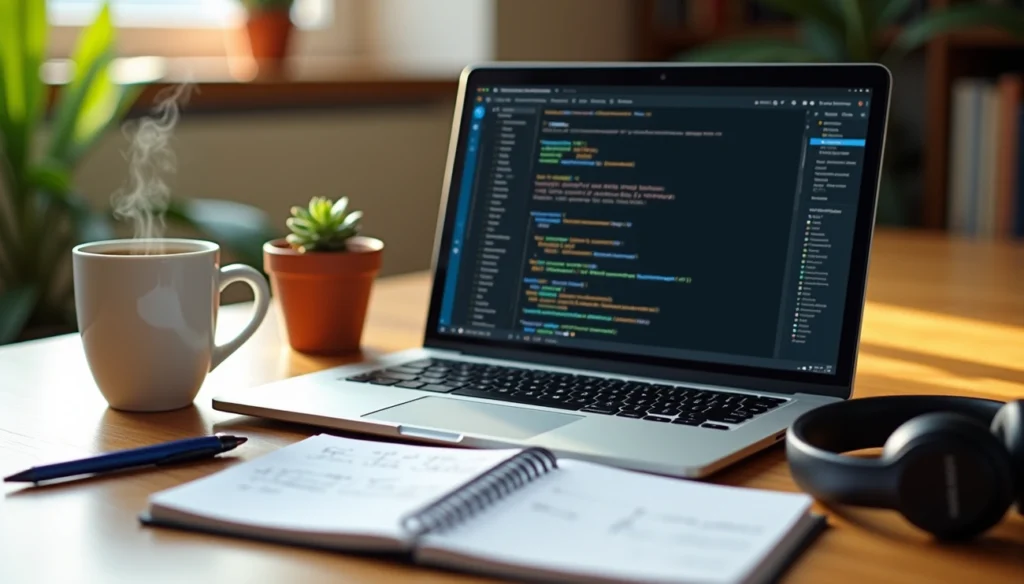
Python has become one of the fastest-growing programming languages, and this beginners guide to Python will show you exactly why. Created with accessibility in mind for non-programmers, Python offers a low learning curve that makes it an ideal starting point for aspiring developers. Whether you’re on Mac, Linux, or Windows, Python runs seamlessly across platforms.
In this guide, I’ll walk you through everything you need to master python programming for beginners. To begin with, we’ll set up your development environment and run your first program. Subsequently, you’ll learn core concepts like variables, data types, and control flow. Furthermore, we’ll explore data structures and file handling to build your foundation as a Python developer.
Setting Up Your Python Programming Environment- Before diving into python programming for beginners, you need to set up your development environment. Most computers already have Python pre-installed, but verifying your installation ensures you’re working with the latest version.
Installing Python on your computer
To check if Python is installed on Windows, search for Python in the start bar or open Command Prompt and type python –version. On Mac or Linux, open Terminal and run the same command. If Python appears, you’ll see the version number displayed.
When Python isn’t installed, download it for free from python.org. For Windows users, there’s one crucial step during installation: check the box that says “Add Python to PATH.” This makes running Python from your command line significantly easier. On macOS, the system’s pre-installed Python is outdated, so installing the latest version from python.org or using Homebrew (brew install python3) gives you access to newer features. Linux distributions typically include Python, but you can install it through your package manager using sudo apt install python3 for Debian/Ubuntu systems.
Choosing and setting up a code editor
While you can write Python code in any text editor, using a dedicated code editor or IDE enhances productivity through features like syntax highlighting and code completion.
Visual Studio Code stands out as a lightweight, powerful option. Download it from code.visualstudio.com, then install the official Microsoft Python extension from the Extensions view. PyCharm Community Edition offers a robust, dedicated Python IDE available at jetbrains.com/pycharm/download. For absolute beginners, IDLE comes automatically installed with Python and provides a simple environment to start coding immediately.
Running your first Python program
Create a new file called hello.py in your code editor and type: print(“Hello, World!”). Save the file.
To run it from the command line, navigate to the directory where you saved the file using the cd command. Then type python hello.py on Windows or python3 hello.py on Mac and Linux. You should see “Hello, World!” displayed in your terminal.
If you’re using IDLE, open the Python Shell, click File > New File, write your code, and save it. Run it by selecting Run > Run Module. The output appears in blue in a new window.
You can also test code quickly using Python’s interactive command line. Type python in your terminal, then enter Python commands directly. Type exit() when finished.
Python Programming for Beginners: Core Concepts
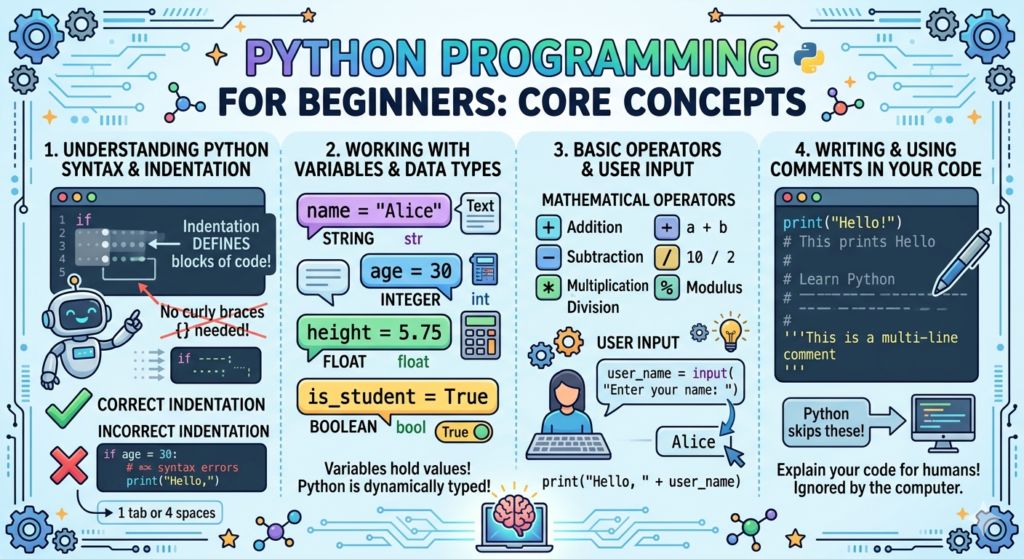
i). Understanding Python syntax and indentation:
Python uses indentation to define code blocks, which makes it different from languages that rely on curly braces. This isn’t just about making code look neat—indentation tells Python where blocks of code begin and end. When you write an if statement or loop, everything indented underneath belongs to that block.
PEP 8, Python’s official style guide, recommends using four spaces per indentation level. Most code editors handle this automatically. If you skip indentation or use inconsistent spacing, Python throws an IndentationError. The number of spaces you choose is up to you, but you must use the same amount throughout each code block.
ii). Working with variables and data types:
Variables store information you can reference later. Python is dynamically typed, so you don’t declare types explicitly—the interpreter determines them based on assigned values. The basic data types include integers (whole numbers), floats (decimals), strings (text), and booleans (True/False).
Create a variable by assigning a value: age = 25 or name = “Sarah”. Variable names can contain letters, numbers, and underscores but cannot start with a number.
iii). Basic operators and user input:
Operators perform actions on values. Arithmetic operators include +, -, *, /, //, %, and ** for addition through exponentiation. Comparison operators like ==, !=, >, and < return True or False.
The input() function collects information from users, pausing program execution until they type something and press Enter. Everything input() captures returns as a string by default. Convert it using int() or float(): age = int(input(“Enter your age: “)).
iv). Writing and using comments in your code:
Comments explain code without affecting execution. Start any comment with # and Python ignores everything after it on that line. While Python lacks official multi-line comment syntax, you can use triple quotes (”’ or “””) as a workaround, though technically this creates an unassigned string.
Control Flow and Building Blocks
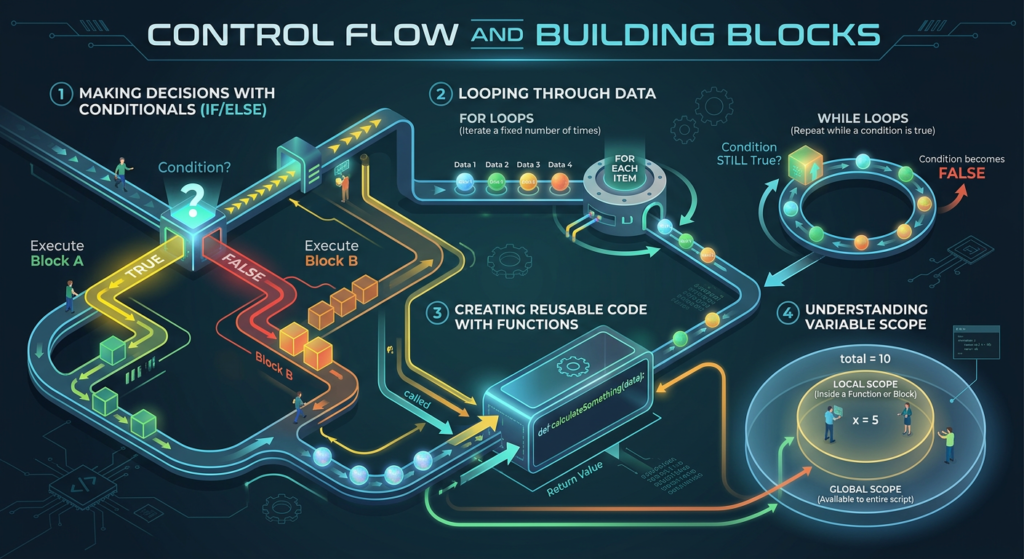
A). Making decisions with conditionals:
The if statement evaluates a condition and executes code when that condition is True. If the condition evaluates to False, Python skips that code block. Specifically, you can add an else clause that runs when the condition is False. For instance, if age >= 18: print(“Adult”) checks if age meets the threshold.
When evaluating multiple alternatives, use elif (short for “else if”) between if and else. Python evaluates each condition in order and executes the first True block it encounters. In contrast to checking all conditions, only one block executes. You can nest if statements inside other if statements for complex decision-making.
B). Looping through data with for and while loops:
The for loop iterates over sequences like lists, tuples, or strings. Each iteration assigns the next item to your loop variable: for color in colors: print(color). This approach works when you know the sequence you’re processing.
Similarly, while loops repeat code as long as a condition remains True. The condition gets checked before each iteration. For instance, while count < 5: continues until count reaches 5. Besides normal termination, break exits a loop immediately, and continue skips to the next iteration.
C). Creating reusable code with functions:
Functions bundle code into reusable blocks. Define them using the def keyword followed by the function name and parentheses: def greet(name):. Parameters inside parentheses receive values when you call the function. The return statement sends results back to the caller and terminates the function.
D). Understanding variable scope:
Variables defined inside functions have local scope and only exist within that function. Equally, variables defined outside all functions have global scope and are accessible everywhere. Python follows the LEGB rule when looking up names: Local, Enclosing, Global, then Built-in. To modify global variables inside functions, use the global keyword. For nested functions, nonlocal lets inner functions modify variables from enclosing functions.
Working with Data Structures and Code Organization
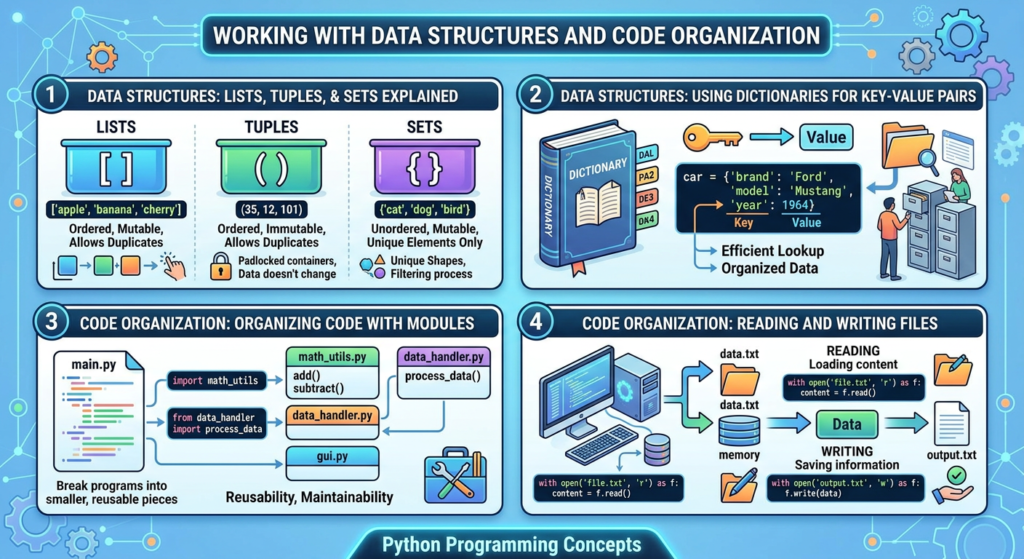
Data structures organize information efficiently in your programs. Python ships with several built-in options that serve different purposes.
A). Lists, tuples, and sets explained:
Lists store ordered collections that you can modify after creation. Create one with square brackets: my_list = [1, 2, 3, ‘Python’]. Lists allow duplicates and support indexing, slicing, and methods like append() and remove().
Tuples function similarly but are immutable. Once created with parentheses my_tuple = (1, 2, 3), you cannot change their elements. This immutability makes tuples faster than lists and allows them to serve as dictionary keys.
Sets store unique elements in an unordered collection. Define them with curly braces: my_set = {1, 2, 3}. Sets automatically remove duplicates and excel at membership testing.
B). Using dictionaries for key-value pairs:
Dictionaries map unique keys to values using curly braces and colons: person = {“name”: “Alice”, “age”: 30}. Access values through keys: person[“name”] returns “Alice”. Keys must be immutable, but values accept any data type. Dictionaries provide O(1) lookup time, making data retrieval extremely fast.
C). Organizing code with modules:
Modules are Python files containing reusable code. Import them using import module_name or import specific functions with from module import function_name. This keeps code organized and maintainable.
D). Reading and writing files:
The open() function handles files with modes: ‘r’ for reading, ‘w’ for writing, and ‘a’ for appending. Use the with statement: with open(“file.txt”, “r”) as f: to automatically close files after operations complete.
Conclusion:
Python’s gentle learning curve makes it perfect for your programming journey. All things considered, you now have the foundation to start building real applications. I’ve covered environment setup, core syntax, control structures, and data handling—essentially everything you need to write functional Python code.
Practice what you’ve learned here daily, even if it’s just fifteen minutes. Start with small projects that solve real problems you face, and you’ll develop into a confident Python developer faster than you expect.
FAQs
Q1. Do I need to install Python separately, or does it come pre-installed on my computer?
Most computers have Python pre-installed, but it’s often an outdated version. You can check by opening your command prompt or terminal and typing python --version. For the best experience, download the latest version from python.org. Windows users should ensure they check “Add Python to PATH” during installation to make running Python easier.
Q2. What's the difference between lists, tuples, and sets in Python?
Lists are ordered collections that you can modify after creation, defined with square brackets. Tuples are similar but immutable—once created with parentheses, you cannot change their elements. Sets store unique elements in an unordered collection using curly braces and automatically remove duplicates. Choose lists when you need flexibility, tuples for data that shouldn’t change, and sets when you need unique values.
Q3. Why is indentation so important in Python?
Python uses indentation to define code blocks instead of curly braces like other languages. Indentation tells Python where blocks of code begin and end, such as in if statements or loops. The recommended standard is four spaces per indentation level. If you skip indentation or use inconsistent spacing, Python will throw an IndentationError and your code won’t run.
Q4. What's the best code editor for Python beginners?
Visual Studio Code is a lightweight, powerful option with excellent Python support through Microsoft’s official extension. PyCharm Community Edition offers a robust, dedicated Python IDE with advanced features. For absolute beginners, IDLE comes automatically installed with Python and provides a simple environment to start coding immediately without additional setup.
Q5. How do I get user input in my Python programs?
Use the input() function to collect information from users. The program pauses until they type something and press Enter. Everything captured by input() returns as a string by default, so if you need a number, convert it using int() or float(). For example: age = int(input("Enter your age: ")) converts the input to an integer.
